01

Overview

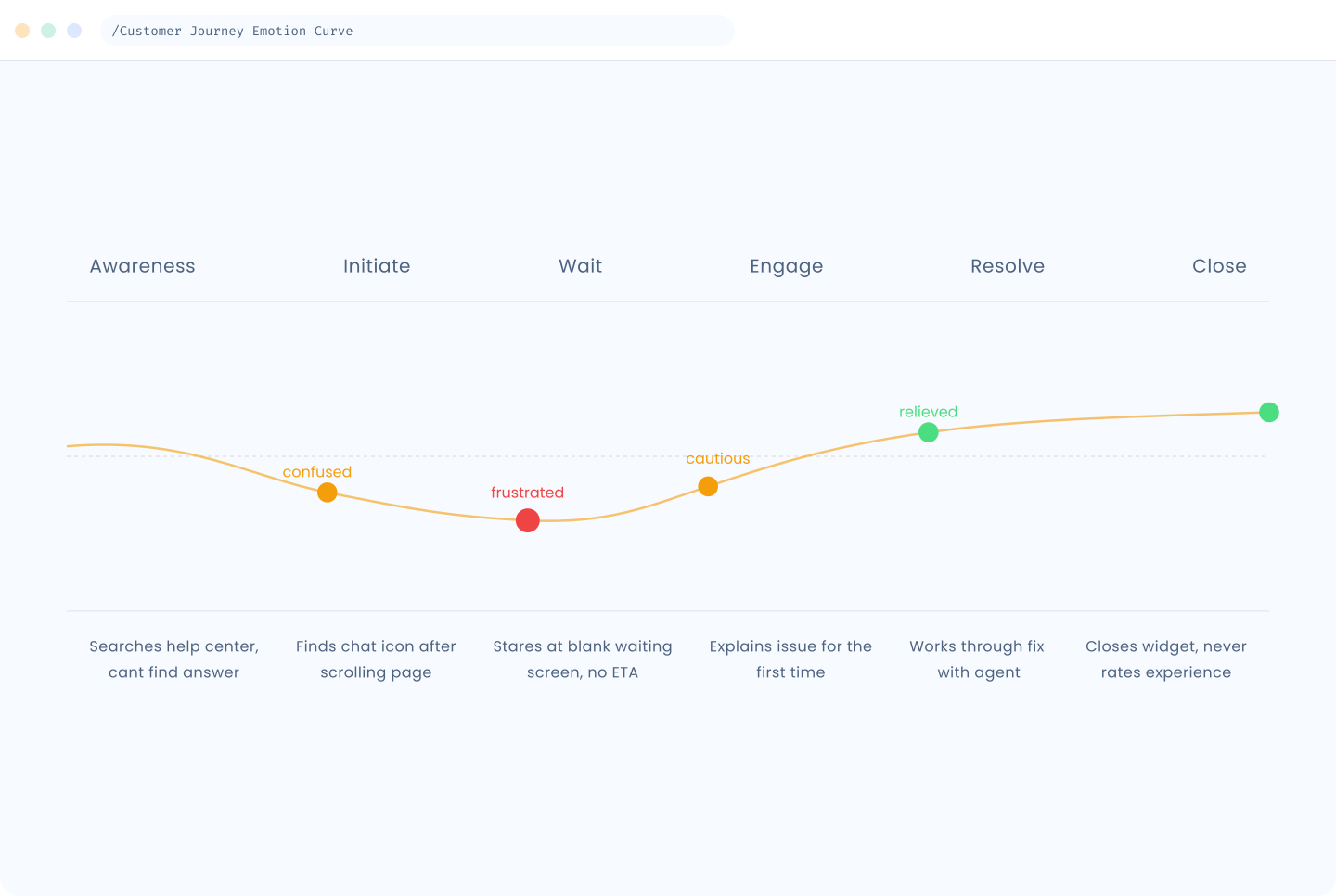
User Frustration: 3-5 min wait times, unclear ticket status, repetitive questions

Agents were losing time to a clunky interface that didn't reflect how they actually worked.

Scaling Issues: System crushed under peak loads, conversations often lost

Zero Data: No insights into common issues or agent performance
Part 1 of 2 | External UX

Reducing time-to-answer for customers

Problems

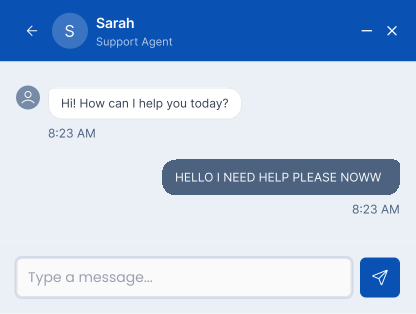
  • The default chat input field was too large in height and left little room for viewing messages.

  • The send button lived inside the field, making the interface feel heavy and unintuitive.

  • Users reported it took a long time to find answers to questions that turned out to be relatively simple.

Solutions

  • Reduced the default input height to 40px. The field grows vertically only once typed content reaches the maximum line width.

  • The send button was removed from inside the field and repositioned below it to create a cleaner visual hierarchy.

  • Introduced a "Quick Help" screen that appears immediately when the chat widget is opened.

Part 2 of 2 | Internal Agent Experience

Giving support agents back their time

Problems

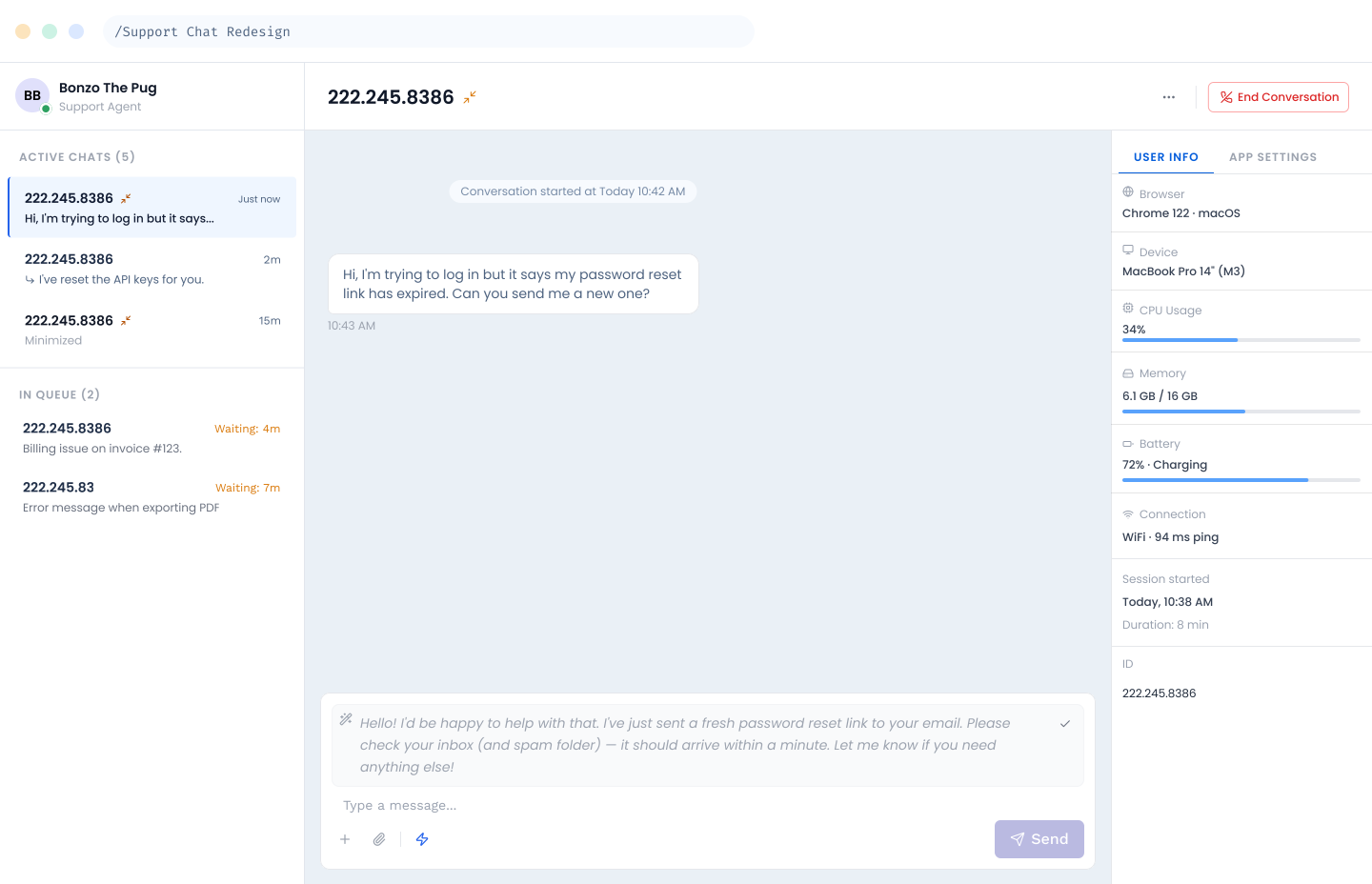
  • The chat panel showed no visual distinction between active chats and chats waiting in queue.

  • Agents had to click into conversations individually to check whether they had responded, a significant time drain managing multiple chats

  • Agents had no way to pause incoming chats when stepping away.

Solutions

  • Added clear visual status indicators to each chat entry in the panel.

  • Agents can now scan their full queue without opening a single conversation.

  • Introduced an agent availability toggle that allows support team members to set their status to "Away" to pause incoming chats during breaks.

03

What changed

Without formal post-launch metrics, success was measured through team feedback, observed behavior changes, and reduction in recurring complaints.

  • Faster self-service resolution

  • Reduced agent cognitive load

  • Improved agent wellbeing

  • Fewer repeat complaints

01

Overview

User Frustration: 3-5 min wait times, unclear ticket status, repetitive questions

Agents were losing time to a clunky interface that didn't reflect how they actually worked.

Scaling Issues: System crushed under peak loads, conversations often lost

Zero Data: No insights into common issues or agent performance
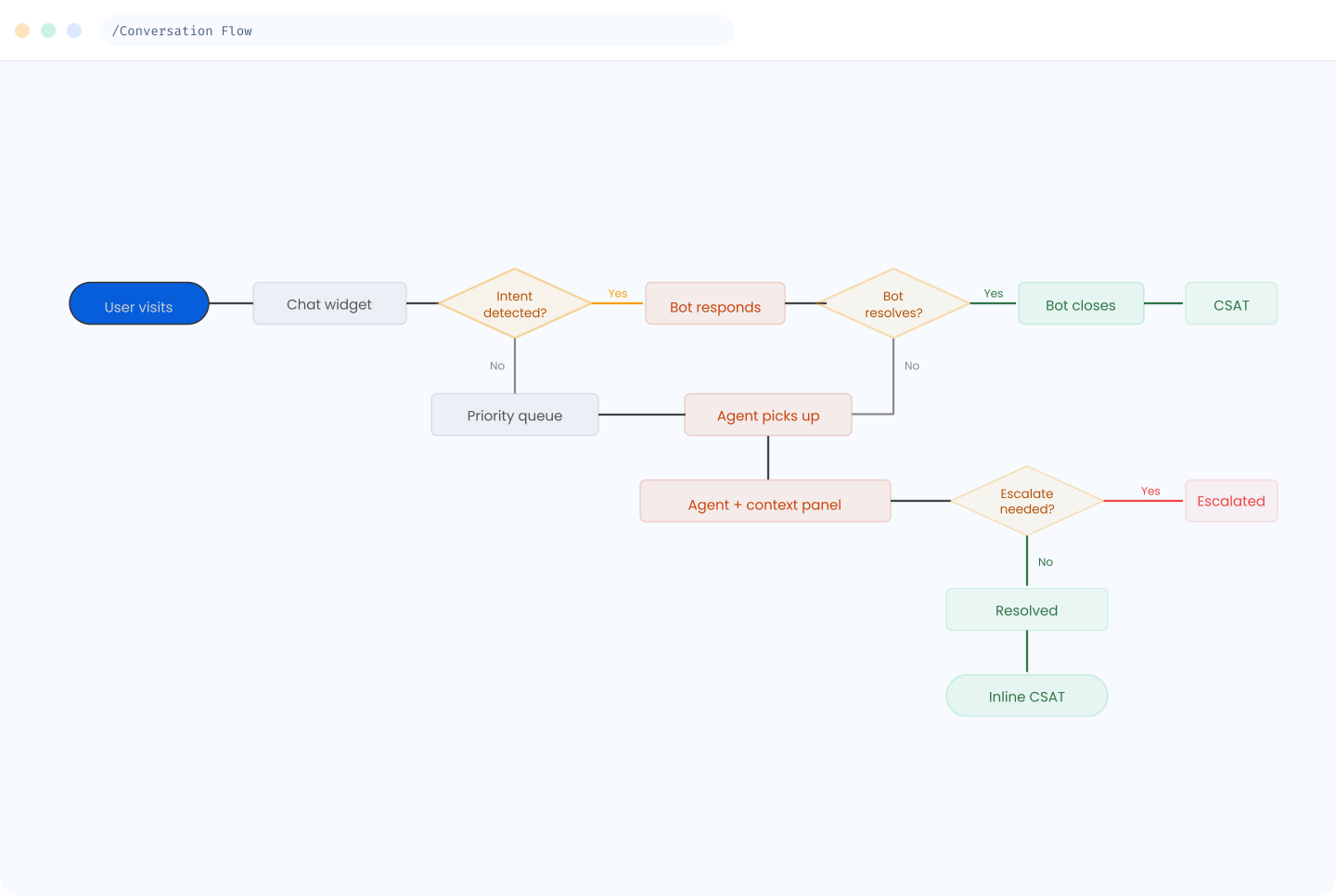
Part 1 of 2 | External UX

Reducing time-to-answer for customers

Problems

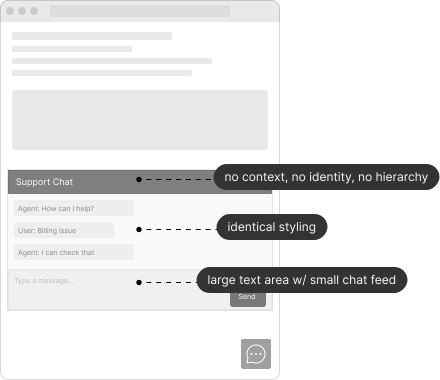
  • The default chat input field was too large in height and left little room for viewing messages.

  • The send button lived inside the field, making the interface feel heavy and unintuitive.

  • Users reported it took a long time to find answers to questions that turned out to be relatively simple.

Solutions

  • Reduced the default input height to 40px. The field grows vertically only once typed content reaches the maximum line width.

  • The send button was removed from inside the field and repositioned below it to create a cleaner visual hierarchy.

  • Introduced a "Quick Help" screen that appears immediately when the chat widget is opened.
Part 2 of 2 | Internal Agent Experience

Giving support agents back their time

Problems

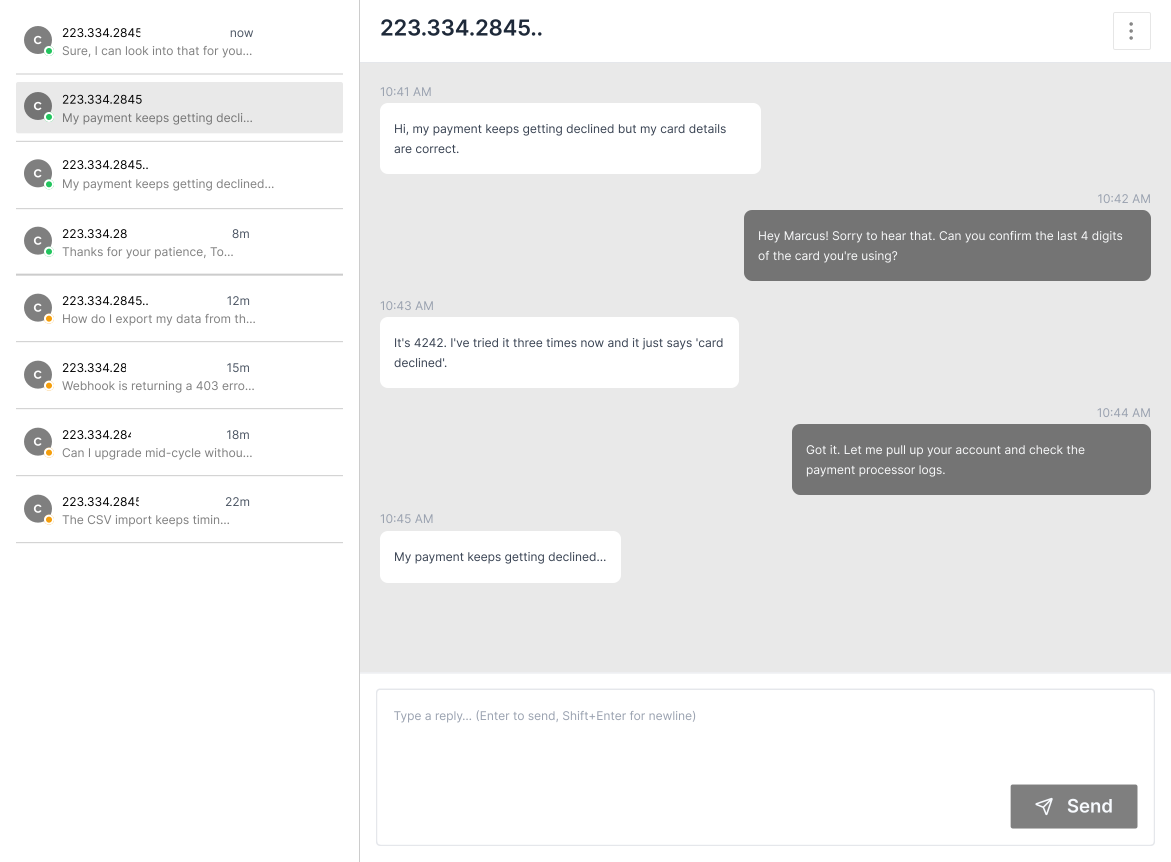
  • The chat panel showed no visual distinction between active chats and chats waiting in queue.

  • Agents had to click into conversations individually to check whether they had responded, a significant time drain managing multiple chats

  • Agents had no way to pause incoming chats when stepping away.

Solutions

  • Added clear visual status indicators to each chat entry in the panel.

  • Agents can now scan their full queue without opening a single conversation.

  • Introduced an agent availability toggle that allows support team members to set their status to "Away" to pause incoming chats during breaks.
03

What changed

Without formal post-launch metrics, success was measured through team feedback, observed behavior changes, and reduction in recurring complaints.

  • Faster self-service resolution

  • Reduced agent cognitive load

  • Improved agent wellbeing

  • Fewer repeat complaints

01

Overview

User Frustration: 3-5 min wait times, unclear ticket status, repetitive questions

Agents were losing time to a clunky interface that didn't reflect how they actually worked.

Scaling Issues: System crushed under peak loads, conversations often lost

Zero Data: No insights into common issues or agent performance

Part 1 of 2 | External UX

Reducing time-to-answer for customers

Problems

  • The default chat input field was too large in height and left little room for viewing messages.

  • The send button lived inside the field, making the interface feel heavy and unintuitive.

  • Users reported it took a long time to find answers to questions that turned out to be relatively simple.

Solutions

  • Reduced the default input height to 40px. The field grows vertically only once typed content reaches the maximum line width.

  • The send button was removed from inside the field and repositioned below it to create a cleaner visual hierarchy.

  • Introduced a "Quick Help" screen that appears immediately when the chat widget is opened.

Part 2 of 2 | Internal Agent Experience

Giving support agents back their time

Problems

  • The chat panel showed no visual distinction between active chats and chats waiting in queue.

  • Agents had to click into conversations individually to check whether they had responded, a significant time drain managing multiple chats

  • Agents had no way to pause incoming chats when stepping away.

Solutions

  • Added clear visual status indicators to each chat entry in the panel.

  • Agents can now scan their full queue without opening a single conversation.

  • Introduced an agent availability toggle that allows support team members to set their status to "Away" to pause incoming chats during breaks.

03

What changed

Without formal post-launch metrics, success was measured through team feedback, observed behavior changes, and reduction in recurring complaints.

  • Faster self-service resolution

  • Reduced agent cognitive load

  • Improved agent wellbeing

  • Fewer repeat complaints